


Google SynthID Detector is a public tool for checking supported images, videos, and audio for invisible AI watermarks. Google expanded access worldwide in English on 7 October 2026, following earlier testing with media professionals. This guide from H2T Media Group explains how the detector works, what its results can establish, and how marketers can use it without confusing a watermark check with proof of authenticity.
 Key Takeaways
Google SynthID Detector expanded public access globally in English on 7 October 2026. It checks supported image, video and audio files for invisible SynthID watermarks from Google and participating partners.
Essential facts about Google SynthID Detector
- SynthID was introduced in 2023; the public Detector expansion occurred in October 2026.
- The public detector announcement covers image, video, and audio uploads, not arbitrary text documents.
- SynthID can also watermark text as a technology; its mechanisms differ by media type.
- Participating partners are not a guarantee that every file from their products contains a detectable mark.
- A missing watermark does not establish human authorship, factual truth, consent, or publication rights.
1. What changed with Google SynthID Detector in October 2026
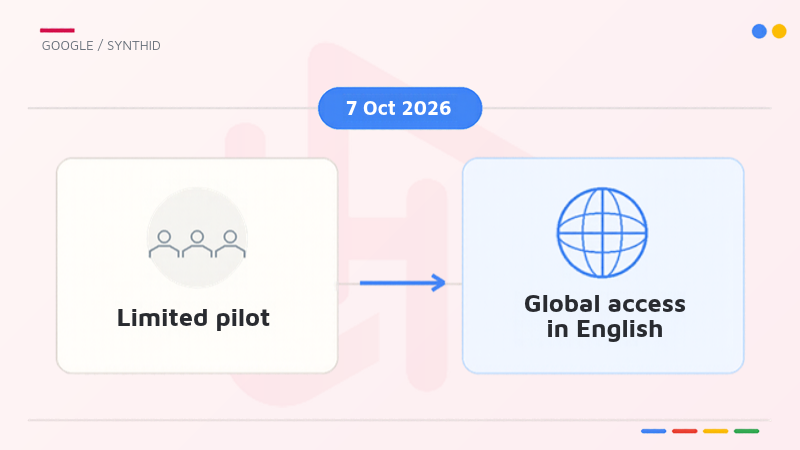
The update is primarily about access and verification scope, not the invention of a new watermark. SynthID has existed since 2023, while a dedicated detector was introduced to selected journalists and researchers in 2025. Separating those milestones helps teams avoid misrepresenting the October announcement as the first launch of the underlying technology.
1.1. From a limited pilot to global English access
On 7 October 2026, Google said that SynthID Detector would be available to everyone globally in English. Its announcement was subsequently updated on 29 October. This public expansion matters because an editor, brand reviewer, or content operations specialist can use the detector without being part of the original media-professional pilot. Availability in English does not mean that every interface, account, or regional experience has identical options; the publishing team should verify the workflow actually presented to it.
Google also said that its verification capabilities were available in Search, the Gemini app, and Chrome. Those built-in experiences are not necessarily identical to uploading a file to the separate SynthID Detector portal. Product surface, supported media, and available verification methods should be identified before documenting a check.
1.2. What the public detector covers
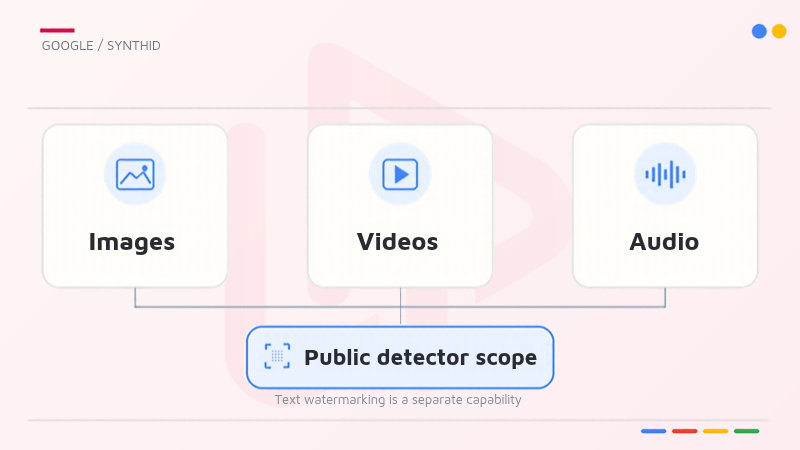
The public portal is described as checking images, videos, and audio files for SynthID watermarks associated with Google or participating partners. Google’s October announcement names OpenAI, NVIDIA, and Kakao among partners. That is a statement about supported SynthID integrations, not a guarantee that every asset made with every product from those companies carries a detectable mark.
| Comparison point | SynthID technology | Public SynthID Detector portal |
|---|---|---|
| Purpose | Embed and identify watermarks in supported AI output | Check uploaded media for supported SynthID signals |
| Media scope | Images, video, audio and text | Images, video and audio described in the October 2026 announcement |
| Coverage | Depends on a model or service using SynthID | Depends on supported watermark adoption and the submitted file |
The distinction is important for writers and SEO teams: although SynthID also has a text-watermarking method, the October public portal announcement should not be described as offering general text-document upload detection.
Read more:
Google — public SynthID Detector expansion (7 October 2026)
Google Cloud — AI trust and transparency
2. How invisible SynthID watermarking works
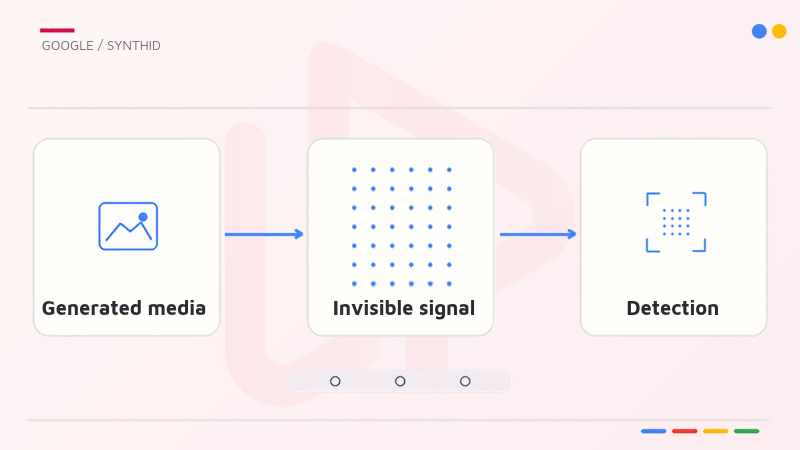
SynthID is intended to add an identifiable signal during generation or editing, rather than judging a file solely by how realistic it looks. The detector then looks for that signal. Understanding this sequence clarifies why watermark verification can provide useful provenance evidence while remaining narrower than an all-purpose AI detector.
2.1. A signal embedded during creation
For supported images and video, Google describes a watermark embedded into the generated visual content that is imperceptible to viewers. Supported audio uses a signal that listeners cannot hear. Google says its approach aims to preserve normal media quality and withstand common changes such as cropping, filtering, frame-rate changes, and lossy compression. The appropriate wording is designed to remain detectable, not “impossible to remove.” No watermark is guaranteed to survive every editing pipeline or adversarial modification.
Text watermarking follows a different mechanism: SynthID can alter token-selection probabilities during supported model generation. That method should not be confused with scanning a screenshot of text or checking a document through the public image/video/audio upload interface. A team should record the original modality and the verification tool it used instead of treating all SynthID implementations as interchangeable.
2.2. A watermark check is not a universal AI classifier
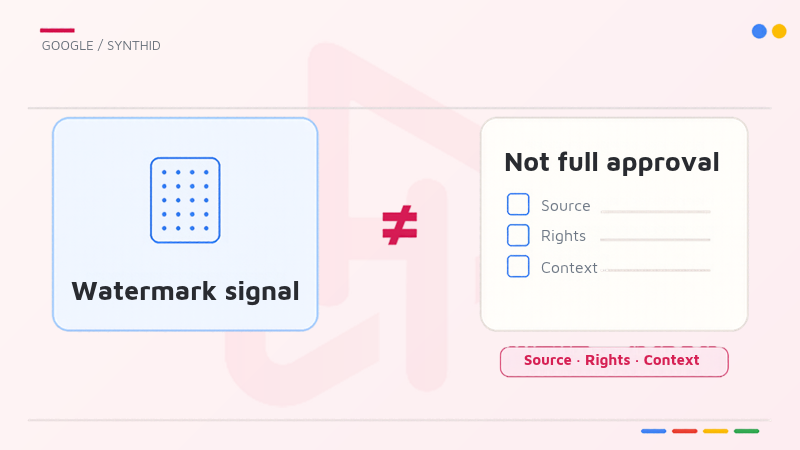
A compatible detection result means a supported SynthID watermark was found. It does not independently establish whether a claim in the file is accurate, who owns the copyright, whether a depicted person consented, or whether the file is suitable for a campaign. Equally, no watermark found is not proof that a human created the content. An asset might have been produced by an unsupported system, lack an applicable mark, or have gone through transformations that complicate detection.
In marketing, this distinction prevents two common mistakes: treating a detected signal as a blanket approval, and treating a negative result as an authenticity certificate. Teams still need source attribution, contextual review, and applicable rights checks. SynthID contributes one technical signal to that broader decision.
Read more:
Google DeepMind — How SynthID works
3. How to check supported AI media
Google provides a dedicated portal at synthid.com, alongside verification experiences in selected Google products. A practical workflow starts with the best-quality available source file, identifies the check performed, and preserves the result in context. The steps below describe the official public process at a high level, not a hands-on audit of every upload option or file-size limit.
3.1. Upload and review through SynthID Detector
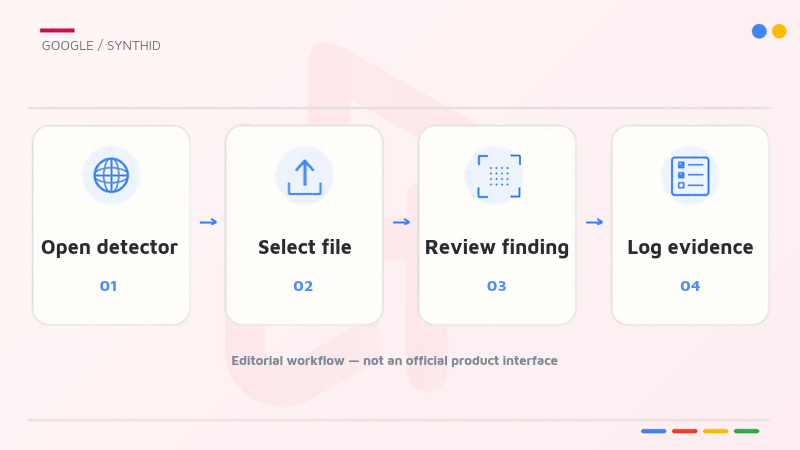
- Open the official SynthID Detector portal at synthid.com.
- Select an image, video, or audio file that is appropriate to submit for verification.
- Let the tool analyze the uploaded media for a supported SynthID watermark.
- Read the detector’s response and save a record of the file, tool, check date, and reported finding for the asset review.
Avoid uploading confidential client creative, unreleased product imagery, or personal data until the team has checked the portal’s current privacy terms and internal information-handling policy. If the UI does not support a file, record that limitation rather than presenting the absence of a result as “not AI-generated”.
3.2. Interpret positive, negative and inconclusive findings
Google’s Gemini help explains that Gemini can use SynthID to check media created or edited specifically by Google’s AI models, and may also use Content Credentials as a separate verification approach. A portal check and a Gemini response therefore require different scope notes; do not assume that a single service recognizes every watermark across the ecosystem.
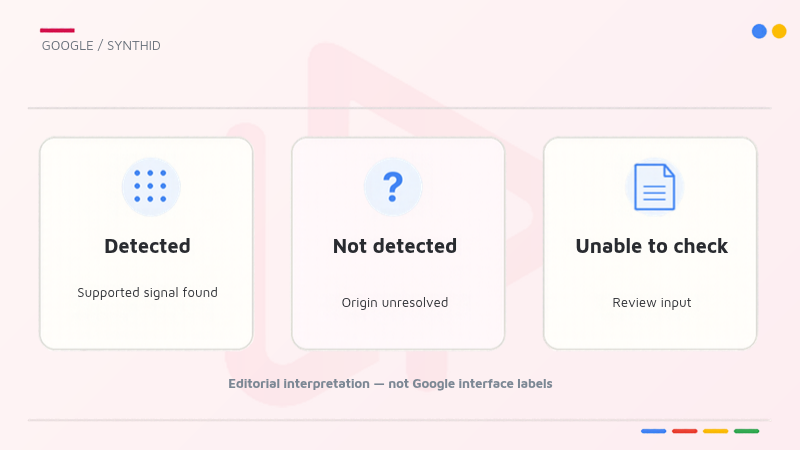
| Finding to document | Supported interpretation | Follow-up before publication |
|---|---|---|
| A SynthID watermark is detected | A supported watermark signal was found in the checked media | Confirm source, editing history, permissions and disclosure requirements |
| No watermark is detected | This check did not identify a supported watermark | Keep origin unresolved; look for other provenance evidence |
| Tool cannot check the asset or result is unclear | No reliable watermark conclusion is available from that attempt | Recheck supported formats, original file and review path |
These are editorial decision categories, not a claim that Google’s interface displays those exact three labels. A detection report is evidence about a specific technical test, not a universal verdict on the asset.
Read more:
Google Gemini Help — Verify AI-generated media
4. What SynthID means for marketing operations
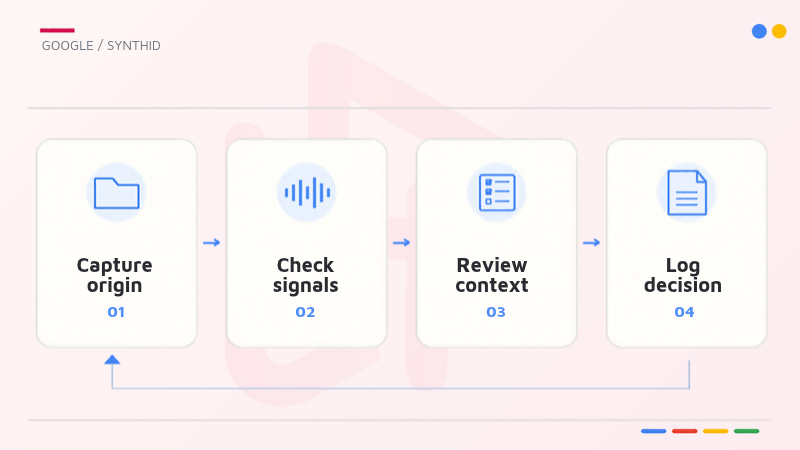
For brands, the most useful operational question is not “Can we label this image AI?” but “Can we defend how this asset was sourced, reviewed, and approved?” H2T Media Group recommends integrating watermark checks into an existing creative governance process while clearly labeling the steps below as our proposed workflow, not Google product features.
4.1. A four-step creative provenance workflow
Step 1 – Capture origin. Record the source file, supplier, tool or model where known, version history, and any declared AI involvement. Separate first-party files from third-party assets and keep documentation close to the asset record.
Step 2 – Check compatible signals. Use SynthID Detector where the material and permitted workflow are supported. Also review available source metadata or Content Credentials when relevant. Do not imply that the absence of any one marker settles provenance.
Step 3 – Review the context. Check factual claims, brand suitability, consent, usage rights, alterations, and any disclosure required by the channel or client policy. Verification is one input to human editorial approval.
Step 4 – Log the decision. Save the reviewer, date, finding, evidence location, and final disposition: approve, revise, request source evidence or escalate. A repeatable audit trail is more useful than a screenshot without asset context.
4.2. Escalate uncertainty instead of turning it into a green light
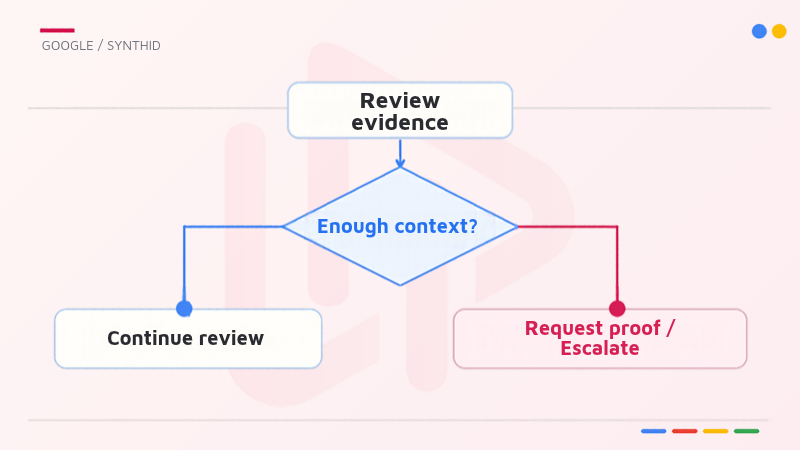
A detected watermark may be helpful, but an approved asset still needs the same licensing and brand-safety controls as any other creative. Conversely, an unsupported or negative result should trigger further verification when the asset is high risk, not an automatic rejection or approval. Set an escalation threshold for public figures, sensitive claims, regulated categories and customer-submitted media.
Creative teams already managing AI-assisted production can connect this checkpoint to their established intake and review records. For a related production context, see H2T Media Group’s analysis of Google Asset Studio multimodal video creation. This link concerns creative production, not evidence that Asset Studio output is always eligible for SynthID Detector.
5. Frequently asked questions
Google’s October 2026 announcement states that public access expanded globally in English. Check the official portal for current access requirements and any usage conditions; the announcement alone does not establish every future pricing or account policy.
No. It checks supported SynthID watermarks. Content generated by a tool that does not apply an eligible mark can fall outside its detection scope.
The wider SynthID technology supports text watermarking, but Google’s October 2026 description of the public detector specifically names image, video and audio uploads. Do not assume arbitrary text-document support.
No. It only states that this check did not find a supported mark. Source records, context, Content Credentials where available and human review remain relevant.
No. Watermark detection does not establish factual accuracy, originality, consent, legal permissions or brand suitability.
Conclusion
Google SynthID Detector makes supported AI-watermark checks more accessible, but it should be understood as one part of content provenance, not a final authenticity verdict. The October 2026 expansion creates a practical opportunity for digital teams to formalize verification at asset intake and approval.
H2T Media Group recommends documenting source, checking supported signals, assessing context, and recording a clear editorial decision. For more platform analysis, explore our Insights hub and connect with H2T Media Group on Facebook or H2T Media Group on LinkedIn.

bichthao
H2T Media Group decodes every meaningful platform update for advertisers and affiliate partners across APAC, EU and North America — always with a practical "H2T take" you can act on.
More about H2T →