

Google Ads Invalid Traffic Overview Card gives advertisers a clearer view of estimated savings from traffic filtered before billing and credits for eligible invalid activity detected later. Announced on November 12, 2026, it improves cost visibility—but it does not establish whether the leads entering your CRM are qualified. H2T Media Group explains the reporting layers, the figures behind the launch, and a practical lead-quality audit.

Key Takeaways
Google Ads Invalid Traffic Overview Card separates estimated pre-billing savings from eligible post-invoice credits. It improves cost transparency but does not establish the quality of leads entering an advertiser’s CRM.
Essential facts about Google Ads invalid traffic and lead quality
- Google announced the Invalid Traffic Overview Card on November 12, 2026; account rollout may vary.
- Google reports filtering 5.15 trillion invalid interactions globally from January through August 2026—not only clicks.
- Google reports an average 30% reduction in exposure to invalid leads, based on global internal data for January through July 2026; it is not an account guarantee.
- Estimated savings represent avoided pre-billing charges; credited cost represents eligible later billing adjustments, not a cash refund.
- The Invalid Activity Credit Report provides credited and adjusted metrics for Search and Performance Max.
- Qualified lead goals, CRM feedback, suitable bidding and form validation remain separate advertiser responsibilities.
1. What Google announced in November 2026
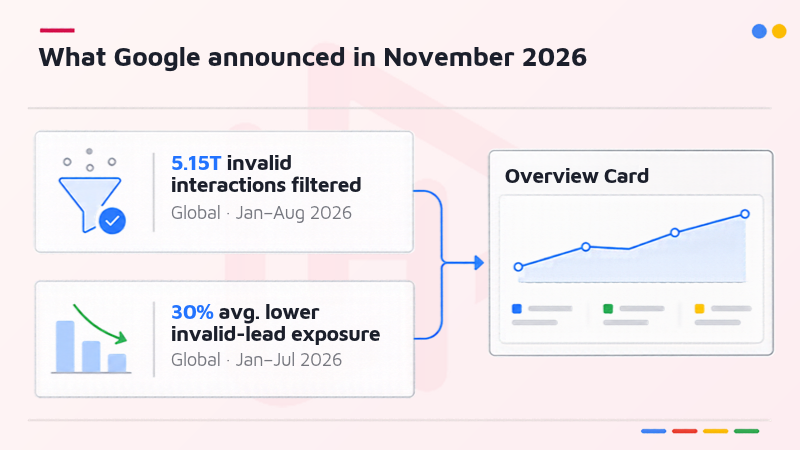
On November 12, 2026, Google announced the rollout of the Invalid Traffic Overview Card on the Google Ads Overview page. It brings an estimate of spend protected by automatic pre-billing traffic filtering together with eligible invalid activity credits issued after invoicing. The card is a transparency surface, not a new promise that all suspicious interactions (or all poor-quality leads) will disappear.
Google separately reported filtering 5.15 trillion invalid interactions globally from January through August 2026 and reducing advertiser exposure to invalid leads by an average of 30% from January through July 2026. These are Google internal, aggregate figures covering different periods. The interaction total includes more than clicks, and neither figure should be used to forecast an individual account.
- Google’s rollout may not appear in every account at the same time.
- The 5.15T figure counts invalid interactions, not exclusively fraudulent clicks.
- The 30% figure is an aggregate average, not a guaranteed reduction in any advertiser’s form submissions.
Read more:
Google — New transparency tool for invalid traffic in Google Ads
Think with Google — How Google stops ad fraud to protect investments
2. How pre-billing filtering and post-invoice credits work
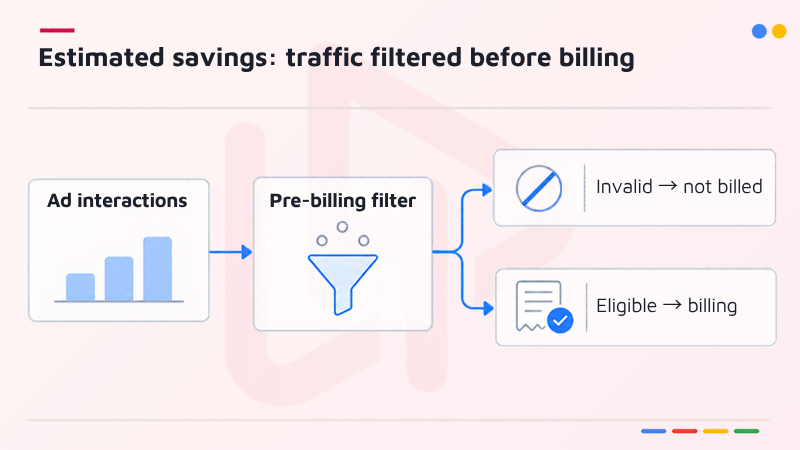
There are two different accounting moments in invalid activity protection. Google first tries to detect and filter non-genuine ad interactions before it finalizes billing. Some cases require additional analysis, so Google may apply an eligible credit after an invoice has already been issued. Keeping these moments separate prevents confusion between avoided charges and actual billing adjustments.
2.1. Estimated savings: traffic filtered before billing
Estimated savings illustrates the cost Google estimates advertisers avoided because invalid interactions were filtered before billing. Google removes qualifying filtered activity from the billable campaign record. This is not a refund and should not be booked as a new source of income. In a performance review, describe it as avoided invalid-traffic charges, with the card’s reporting period noted.
2.2. Credited cost: invalid activity found after invoicing
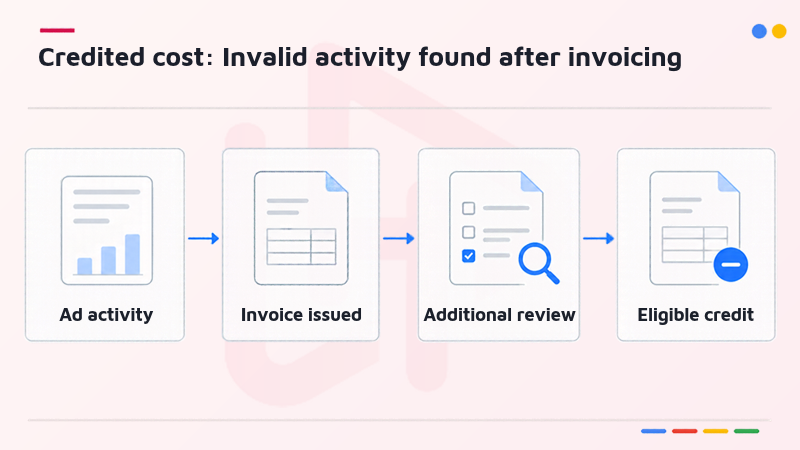
When additional review identifies eligible invalid activity after the billing cycle, Google may issue an automatic credit, where appropriate and possible. The amount can be inspected in Billing under the “Invalid activity” adjustment. Unlike pre-billing filtering, the credit relates to spend already invoiced; it may therefore appear in a later period than the ad interaction.
Do not add an estimated pre-billing saving to a post-invoice credit and label the sum “cash returned.” One measure represents a charge avoided; the other records an adjustment to previously billed activity. The Invalid Traffic Overview Card helps display both, but finance teams should still reconcile actual invoices and transaction history.
Read more:
Google Ads Help — About invalid traffic
3. Where to inspect credits and adjusted performance
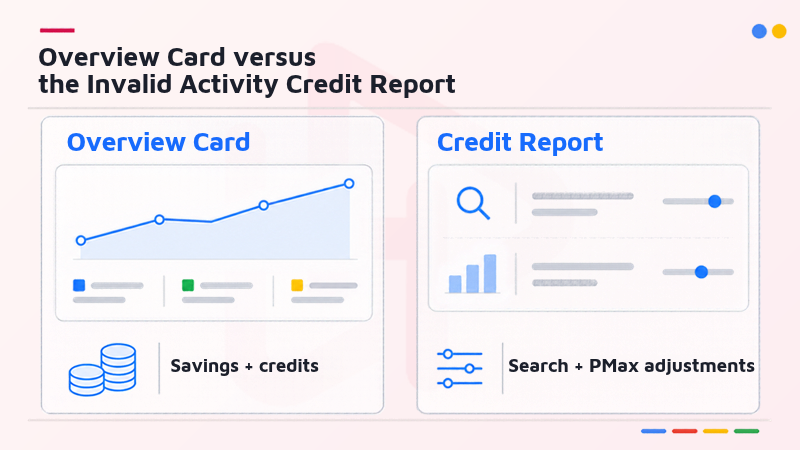
The Overview Card is useful for a high-level protection summary. Detailed financial analysis belongs in billing records and, for supported campaign types, the Invalid Activity Credit Report. These interfaces are related, but they answer different questions: what Google estimates it protected, what was actually credited, and how campaign metrics look after eligible credits are attributed.
3.1. Overview Card versus the Invalid Activity Credit Report
In Google Ads, open Report Editor, then select the “Invalid Activity Credit Report: Search & PMax” template when it is available. Google states that this report supports Search and Performance Max. Its credited clicks, credited interactions, credited amount, and adjusted metrics give a more actionable campaign-level view than a single overview number.
| Reporting surface | Primary question | Interpretation |
|---|---|---|
| Invalid Traffic Overview Card | How much spend was protected or credited? | High-level visibility, including estimates |
| Billing / transaction history | What credit was actually issued? | Accounting adjustment and invoice period |
| Invalid Activity Credit Report | Which Search/PMax campaigns were affected? | Credited and adjusted campaign metrics |
3.2. Match the interaction date with the credit period
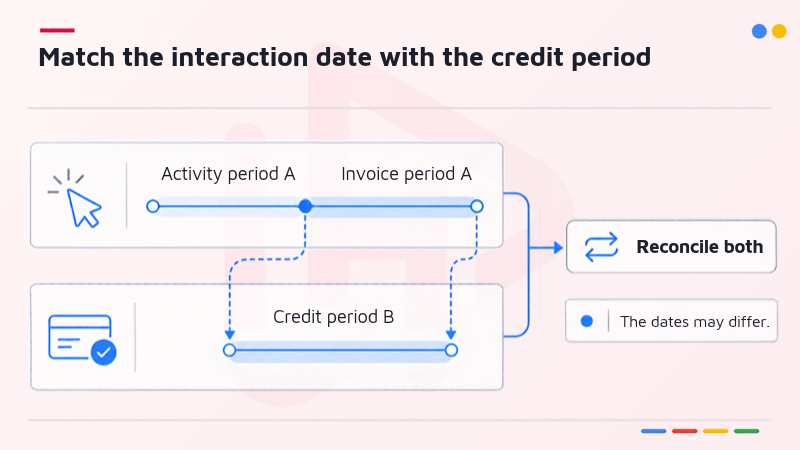
An interaction can occur in one month and be identified as invalid after that month’s invoice closes. Google notes that this can produce a timing mismatch between the original activity and the later credit. Standard campaign metrics are not necessarily retroactively rewritten for a closed period, which is why the separate adjusted report matters.
- Compare campaign and network, not just the account total.
- Record the original ad-serving period and the month the credit was posted.
- Review adjusted cost, clicks, interactions and cost per conversion without assuming those adjustments prove incremental sales.
For a broader explanation of why reporting systems can disagree, H2T Media Group previously examined Ads Decoded reporting discrepancies. Billing adjustments, attribution, and causal measurement should remain distinct in management reporting.
Read more:
Google Ads Help — About the Invalid Activity Credit Report
4. Why traffic protection cannot certify lead quality
Invalid traffic is assessed around the advertising interaction. Lead quality is determined further downstream, when contact details, intent, eligibility, and sales outcomes become available. Filtering helps protect media spend, but it does not replace a company’s lead-scoring rules or CRM checks. Treat the two protections as complementary layers rather than a single fraud score.
4.1. A valid ad interaction can still produce a weak lead
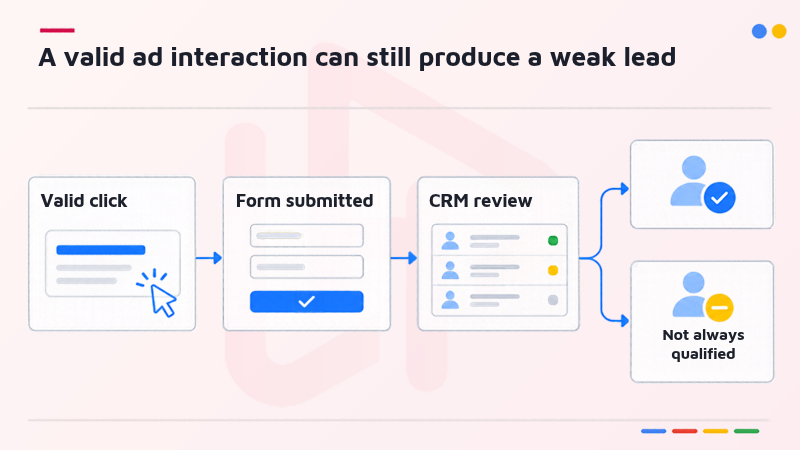
A user may click an ad legitimately and submit a form without purchase intent. Conversely, an invalid interaction may still create a website visit or form event visible to a separate analytics tool before platform filtering is reflected. Neither a click spike nor a zero-second session independently proves fraud. Review form quality and sales-stage progression alongside invalid-traffic reporting.
4.2. The optimization risk is a noisy conversion signal
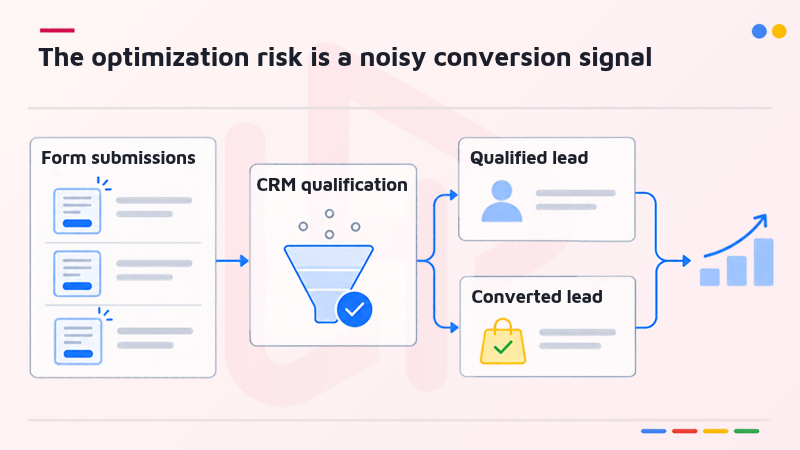
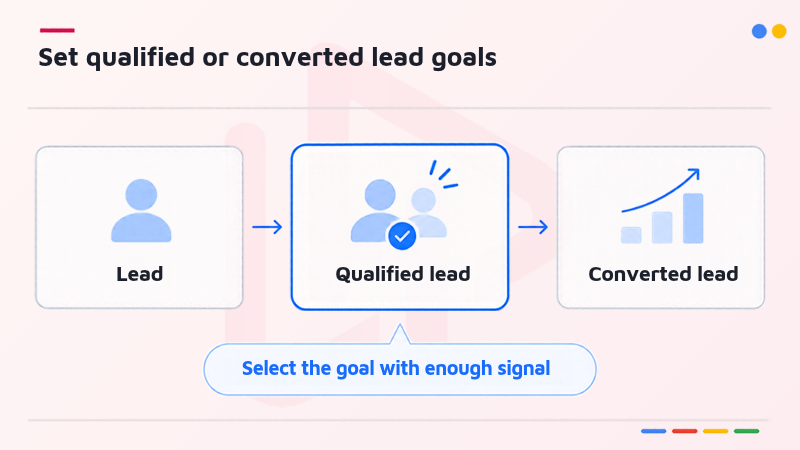
If bidding treats every form submission as an equal success, automation can learn from contacts that sales teams later reject. A cleaner setup distinguishes an initial lead, a qualified lead, and a converted lead using consistent CRM stages. The objective is not to suppress reporting of every early action; it is to choose the conversion action that accurately represents the outcome the business wants to optimize.
Read more:
Google Ads Help — About qualified leads and converted leads
5. Four checks for a cleaner lead-generation workflow
The following is an implementation framework from H2T Media Group based on Google’s published lead-generation guidance. The order matters: define a qualified business outcome, send that outcome back reliably, select bidding that matches the available signal, and then harden the capture point. Exact settings depend on account eligibility, conversion volume, data quality and privacy obligations.
5.1. Set qualified or converted lead goals
Map the lead journey with sales before changing your primary optimization goal. Google provides Qualified lead and Converted lead goal types for stages verified outside Google Ads. Avoid optimizing indiscriminately toward several stages of the same funnel at once. Select the event closest to business value that still has sufficient, timely signal for learning.
5.2. Send validated CRM milestones back to Google Ads
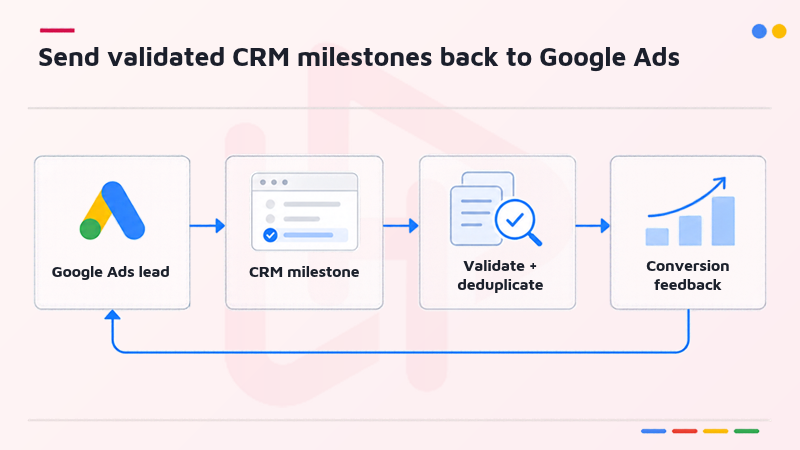
Connect a supported CRM or import offline conversion events using Google Ads data integrations and enhanced conversions for leads where applicable. Use stable event definitions, deduplication, and accurate timestamps. Regular, ideally daily, uploads reduce the time between lead qualification and the feedback used in optimization. Validate consent and applicable data-handling requirements before transmitting customer data.
For related first-party measurement infrastructure, see H2T Media Group’s analysis of Google Data Strength and Meridian updates. Additional event coverage should be interpreted as better measurement inputs, not automatically as incremental sales.
5.3. Choose a bidding strategy the signal can support
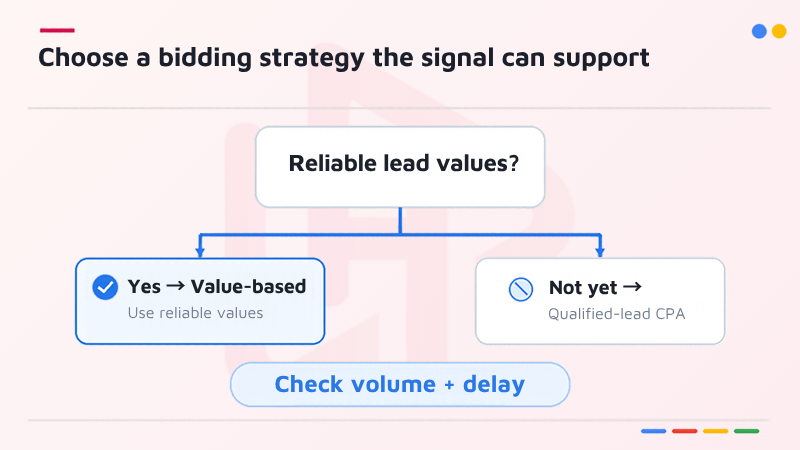
Where lead values are meaningful and reliably differentiated, Google recommends considering value-based bidding. If qualified outcomes cannot be assigned distinct values, a target CPA approach for qualified or converted leads may be more suitable. Google’s current lead guidance recommends checking for at least 15 conversions in the last 30 days at account level and keeping conversion delays short when feasible; these are implementation guidelines, not a universal guarantee of performance.
5.4. Validate the form and document suspicious patterns
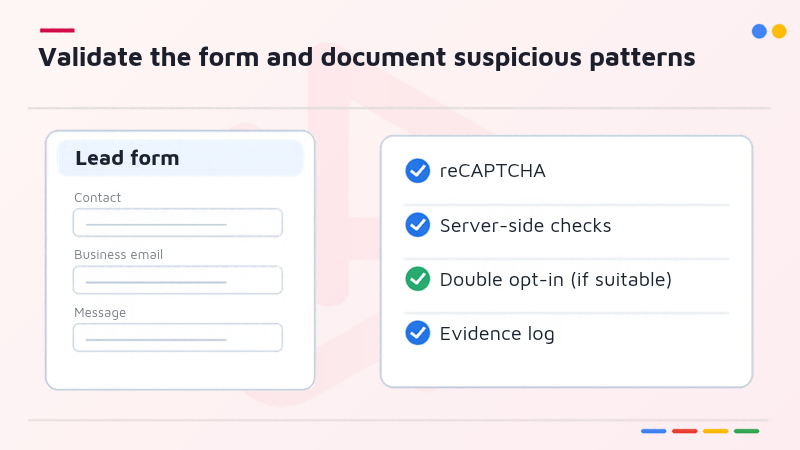
Use form safeguards such as reCAPTCHA, server-side validation, and, where appropriate, double opt-in. Track rejection reasons – invalid contact details, duplicates, geography mismatches, or lack of sales intent – without automatically labeling every rejected lead as ad fraud. If invalid traffic is suspected, preserve the campaign, period, and relevant evidence for Google’s click-quality investigation process.
- Audit validation and CRM quality rates by source and campaign.
- Separate bot-like submissions from merely low-intent, legitimate prospects.
- Escalate suspicious activity with evidence rather than relying on a single IP or session-duration rule.
Read more:
Google Ads Help — Best practices for generating high-quality leads
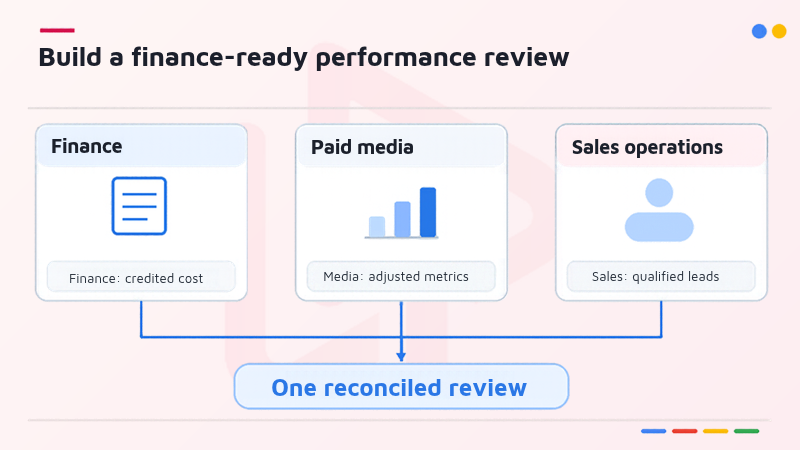
6. What to include in a finance-ready performance review
Keep three views side by side: protected spend before billing, eligible credits after billing, and the quality of leads accepted by CRM. Annotate each with its reporting dates and scope. The first two clarify what was not charged or subsequently adjusted. The third answers whether the remaining paid traffic contributed to commercially meaningful opportunities.
- Finance: invoice cost, credited amount, adjustment period, and supporting billing record.
- Paid media: invalid interaction indicators and Search/PMax adjusted cost per conversion where supported.
- Sales operations: accepted leads, qualification rate, converted leads and downstream value.
A useful executive conclusion is not “Google returned 30% of our spend.” The defensible question is whether billing-side protection and lead-stage validation are both visible, and whether decisions are made with matched definitions rather than raw form volume alone.
7. Frequently asked questions
No. It reports how Google filters invalid advertising activity and applies eligible credits; website-form validation and CRM qualification still require advertiser controls.
No. Google describes invalid interactions, a broader category than clicks alone, and reports the figure globally for Jan,uary–August 2026.
Not necessarily. Google reports an average reduction in advertiser exposure to invalid leads across its global internal data for January–July 2026, not an account-specific promise.
No. Google describes credits and billing adjustments, not cash refunds. Check Billing transaction records and the related credit reporting.
Google currently documents the Invalid Activity Credit Report for Search and Performance Max. Confirm the report is present in your account before relying on it.
Conclusion
The Google Ads Invalid Traffic Overview Card makes an important protection mechanism easier to discuss with stakeholders: charges filtered before billing are not the same as eligible credits granted later. Neither measure replaces qualifying leads after the click. Audit both reporting layers, verify CRM milestones, and choose conversion goals tied to commercial value before using headline figures to justify budget changes.
For more practical updates, explore the Google Ads category from H2T Media Group. Continue the conversation with H2T Media Group on Facebook and H2T Media Group on LinkedIn.

bichthao
H2T Media Group decodes every meaningful platform update for advertisers and affiliate partners across APAC, EU and North America — always with a practical "H2T take" you can act on.
More about H2T →